Chip design
From a one-paragraph brief to a schematic and PCB, with an engineer stepping in three times
Talk to an engineer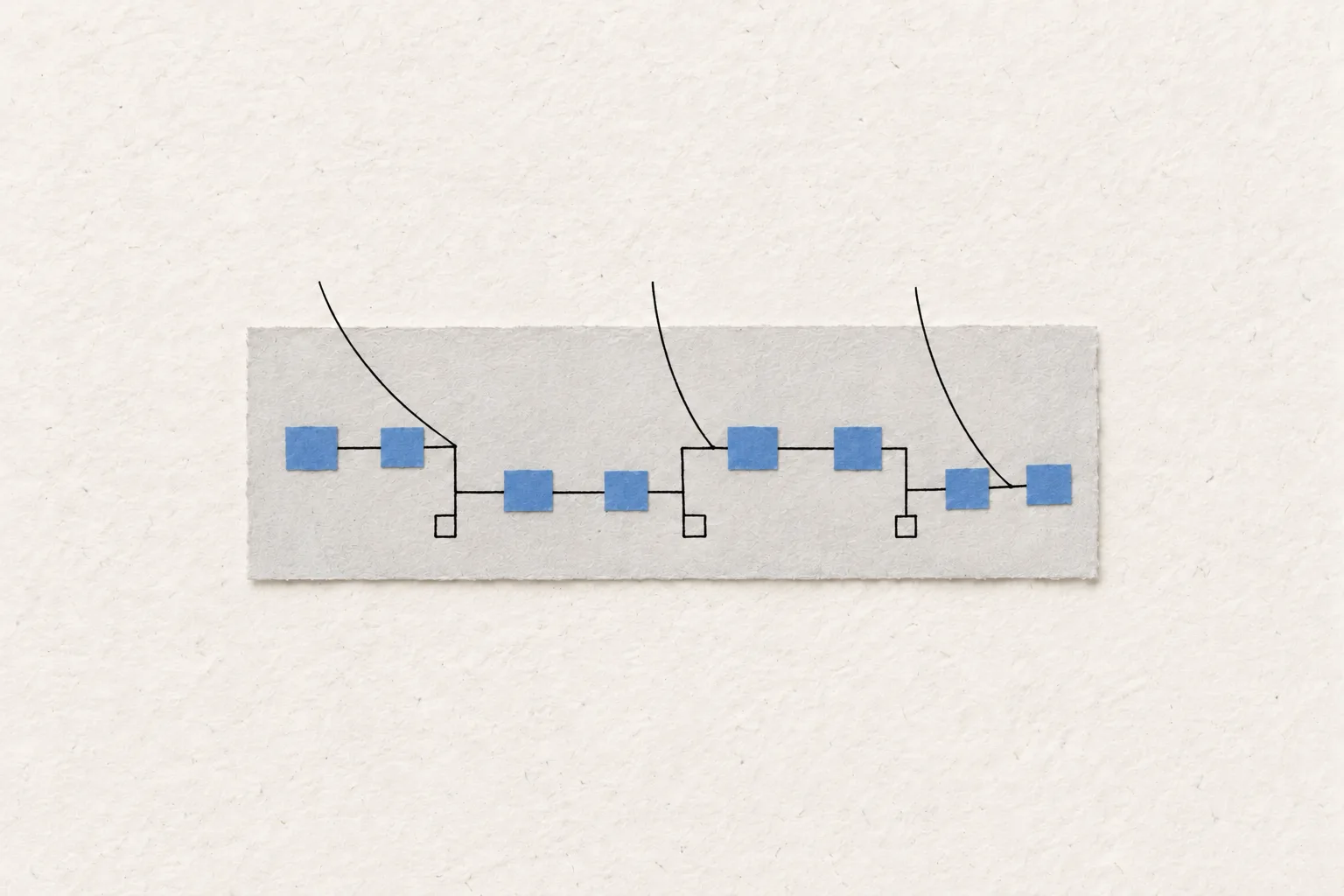
- 934 operations
- one run, carried out by Micius; the engineer stepped in three times
- ERC/DRC pass
- the four declared analyses really ran too; full design acceptance is recorded as “unknown”
- 23 parts
- a two-layer board of about 38 × 22 mm; 24 nets, 175 track segments, 30 vias
A USB-C serial adapter is a small board, but getting from a brief to a design you can hand over still takes about a dozen steps, and any change early on means rerunning the checks after it. Here a hardware engineer wrote the brief in one paragraph and gave it to Micius, Zhiman’s model, which did the design work in the PCB software. The engineer stepped in three times: to set the order of work, a way to diagnose a fault, and what counted as done.
Challenge
A small board still takes eleven steps
A USB-C serial adapter plugs into a computer at one end and brings out a serial port for a development board at the other. This one is a two-layer board of about 38 × 22 mm. The usual route is long: check each part’s datasheet and library footprint and draw any that are missing, draw the schematic and run the electrical rules check (ERC), place and route the board, pour copper and run the design rules check (DRC), then simulate and write up the files. Each step is done by hand in the design software, and each depends on the ones before. Change one wire on the schematic and the checks already run no longer count; a route that won’t close means moving parts or adjusting rules.
This time a hardware engineer wrote the board’s requirements as one paragraph and gave it to Micius, Zhiman’s model. Micius did the design work in the PCB software, 934 operations in all. The engineer didn’t draw anything and stepped in three times.
Brief
The brief, and the first time the engineer stepped in
The brief asked for a compact USB-C serial adapter with regulated power, a UART breakout, a header pinout matching common USB-to-serial cables, and selectable configuration, on two layers with a closed board edge, sensible placement and clear labels. It ended with three working rules: explain the purpose of each step before starting it; when the tools report a real problem, say so and fix it; and build in any requirement a person adds along the way.
Micius split the job into eleven steps, from choosing parts to delivery and a final 3D render. The conversation recorded every action and tool response, so the engineer could see where the run had got to at any moment.
Illustrative flowMicius works through 11 steps and 934 operations; the engineer steps in three times.
Micius searched the part library for the USB-to-serial chip, USB-C receptacle, ESD protection, fuse, headers, switch and voltage regulator, and tried to download datasheets and footprints from the makers’ websites. It kept getting web pages back instead of files. The engineer stepped in: stop downloading datasheets; use the library’s symbol and footprint where a part exists; build the regulator, which wasn’t in the library, from a generic small-package symbol and note where it came from; and get the schematic, placement and routing through first. Micius carried on in that order. The finished board has 23 parts.
Layout
Fixing a power clash, and the second time the engineer stepped in
Once the pins were wired, Micius found a power conflict: one of the USB-to-serial chip’s power pins sat on the same net as the regulator’s 3.3 V output. Micius went back to the schematic, moved that pin onto its own net and bridged it to 3.3 V through a 0 Ω resistor, and ERC passed. The run kept one rule throughout: when the design changes, every earlier check is marked “stale” and doesn’t count as a pass until it runs again.
With the parts placed, the autorouter failed. The engineer stepped in a second time, giving a method and leaving the fix to Micius: work out whether the cause is clearance, too few channels or escaping the pads; adjust placement or rules until DRC passes; then rerun ERC, DRC and the whole-board acceptance check and save. Micius traced the bottleneck to the USB differential pair, routed that stretch by itself first, and reran the autorouter around it. The board ended up with 175 track segments and 30 vias.
After the copper pour, DRC flagged a 3.3 V track at 0.1164 mm clearance against a 0.15 mm rule, and two isolated copper islands on the top layer. Micius listed each problem, added a ground via to each island, fixed the rest and reran DRC until it passed.
Results
What was handed over, and what wasn’t checked
At the final step, the engineer stepped in a third time: correct one field in a geometry test, then rerun the analyses and the acceptance check so every declared analysis actually ran to a clear verdict. After the rerun, three circuit simulations and an EMC geometry pre-check all passed, the schematic passed ERC and the PCB passed DRC. Micius handed over the schematic, the PCB, the project files and an analysis report in the design software’s own format, plus a 3D assembly preview, which notes that the USB-C receptacle and fuse lack 3D models.
The line for full design acceptance reads “unknown”. Appearance, CAD checks, simulation and real-board qualification are recorded separately, and a check that didn’t run is never shown as a pass. No board was built or tested. The run is logged as human-assisted and doesn’t count towards autonomous results; the three interventions sit in the record beside every operation Micius made.
This was a two-layer board with 23 parts. Boards with more layers, denser routing or tighter signal-integrity requirements weren’t part of the run. The design still needs an engineer’s review, and whether it goes to fabrication is the engineer’s call.
The same approach also works for
-
Revising an existing board
Hand it the project and the change. It runs the checks, changes the schematic and routing, reruns them, and says which results the change made stale.
-
Missing parts and library work
For a part the library lacks, it looks for an alternative or builds one from a generic symbol, noting the source for an engineer to approve.
-
A check report before handover
Run ERC, DRC and the declared analyses on a finished design and list what passed, what failed and what never ran.
-
Test fixtures and adapter boards
Small adapter and fixture boards for a production line can follow the same pattern: a written brief, a design from Micius, an engineer setting direction.
Are your small boards still drawn by hand and rechecked round after round?
Tell us the kind of board, its layer count and size, and the PCB software and design rules you use. We’ll walk through a board with you and show what Micius can take on first.
Related use cases
Predictive maintenance
Reads sensor and maintenance data to flag a tool before it fails, with engineers deciding on the repair.
Role training and onboarding
Turns scattered training documents into a knowledge map that people review, and answers new hires’ questions with the source attached.
AOI inspection for packaging
Calls defects on site, next to the inspection tool, and passes the uncertain ones to a person.
Equipment assembly SOPs
Reads an assembly drawing, extracts the BOM and drafts step-by-step assembly instructions for people to sign off.